Workflow Updates
We've continued making improvements to Workflow Logs, making it easier to monitor, troubleshoot, and understand workflow activity across your application.
Unified Workflow Logs
The Data Table ? Workflow tab now includes a Logs sub tab that brings together every workflow run related to that table in one place.
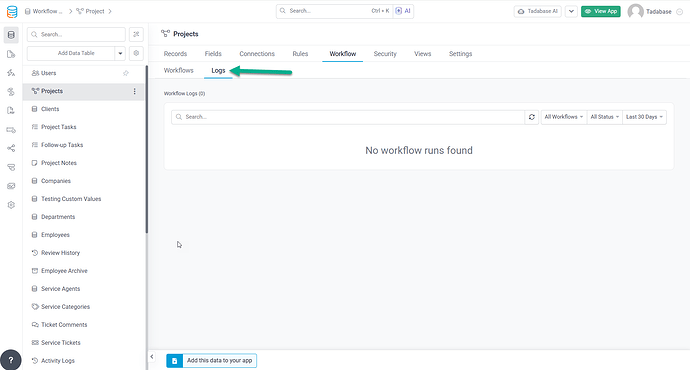
You can now:
- View all workflows triggered by the selected table
- See workflows that reference the table, with the source table clearly identified
- Filter logs by workflow, status, date, or keyword
- Open any workflow run to view detailed execution information or copy a direct link
These improvements make it easier to understand how workflows interact and troubleshoot issues across your application.
We'd love to hear your feedback.