Tada AI & Studio
We've added several improvements to the Tada AI getting started experience, along with new ways to build and share your apps.
More Ways to Get Started
New accounts can now choose how they want to begin, whether that's building with AI, starting from a template, bringing their own AI, moving from another tool, joining a team, or building from scratch. Each option includes its own guided setup experience.
A Smoother Setup Experience
The plan selection screen is no longer shown immediately after sign-up, allowing you to get started on your current plan and explore other options when you're ready. Setup questions can also support multiple selections and remember your choices if you return later.
Faster Email Verification
Email verification now includes quick links to popular email providers along with the option to enter a 6-digit verification code.
Build It for Me
Answer a few questions to create a build brief, optionally upload a CSV, then review and approve the brief before having your app built.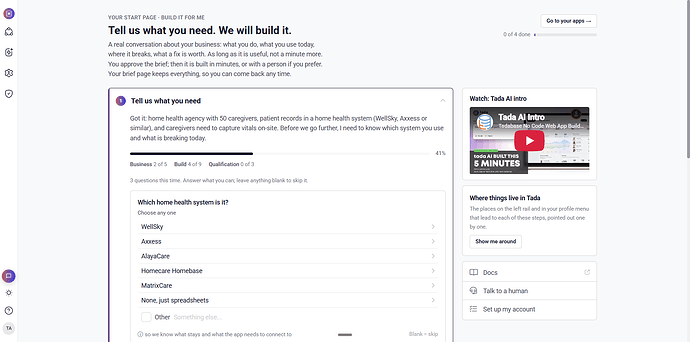
You can now create your own invitation, share your referral code, and track referrals from invitation through their first app build. Referral credits are earned once they build their first app.
Referral links now work for existing accounts as well, and referral codes can be entered during signup.
We'd love to hear your feedback.