Tada AI and Studio Updates
Tell Tada AI About You
A new About Me section lets you tell Tada AI what you're building, how you like to work, and how you'd like it to approach changes. This context carries across your chats and builds, so you don't have to explain the same things each time.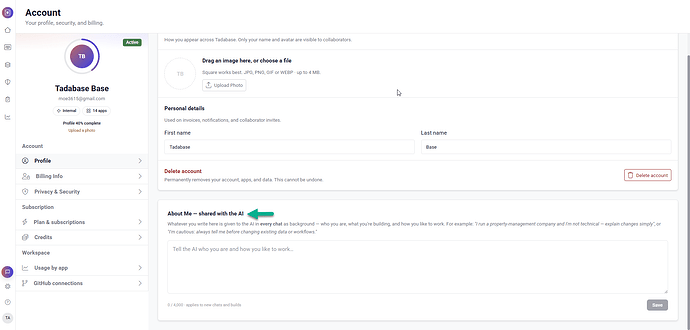
A Better Welcome for Existing Tadabase Customers
Existing Tadabase builders now get a streamlined onboarding experience when trying Tada AI, including a welcome video, an overview of owned and shared apps, app access information, and an explanation of how AI credits work.
Better Support for Shared Apps
More Control Over AI Credits
When working on an app you don't own, you can now see whose credits will be used and, when permitted by the app owner, choose between your credits and theirs.
Easier App Sharing
Published apps now include a dedicated Share option, making it easier to share your live app. Shared links also include richer previews with the app title, description, and latest screenshot.
Public App Gallery
Community built apps can now be explored through a public gallery without requiring users to sign in.
Calendar Improvements
Clicking a Calendar event now opens a detail popup using your configured Displayed Fields. The +3 More option is also clickable, making it easier to access additional events on busy days.
Improved Live Preview
Live Preview now provides more visibility while your app starts, including boot stages, elapsed time, and progress updates. We've also improved retry behavior, preview loading, and the experience when rebuilding or waking an app.
More Fields on Cards
Cards can now display up to 30 fields, with clearer feedback when the limit is reached.
We'd love to hear your feedback.