New Importer Live!
Major Rebuild
The importer has been completely rebuilt from the ground up with major improvements, including the ability to import from nearly any API.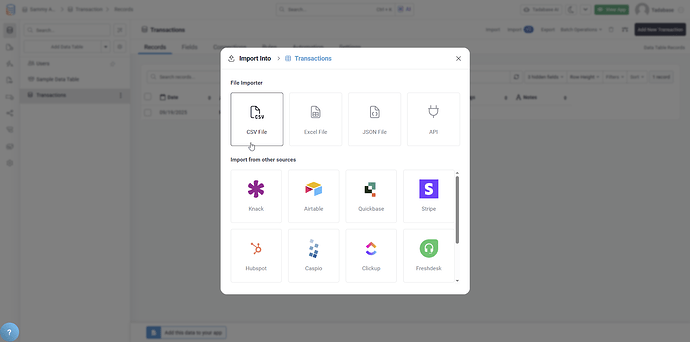
API Import Capability
The biggest new feature is the ability to import data directly from APIs:
- Import from Any API: Connect to nearly any API endpoint
- Save Configuration: Save import configurations for repeated use
- Trigger on Demand: Run imports manually or via automation
- No Middleware Needed: Direct API-to-Tadabase integration
Enhanced UI/UX
The new importer features a completely redesigned interface:
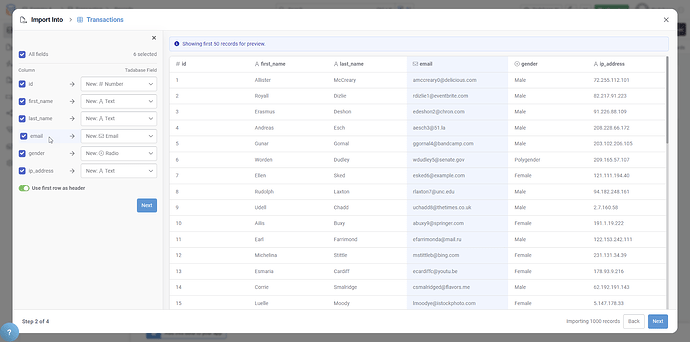
- Field Highlighting: Visual highlighting during field mapping
- Intuitive Layout: Clearer, easier-to-navigate interface
- Progress Indicators: Progress bars showing import status
- Better Error Handling: Clear error messages and recovery options
Improved Record Matching
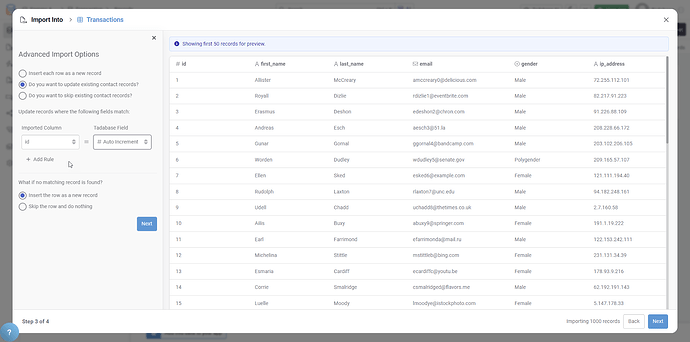
Record matching has been completely reworked:
- Multiple Field Matching: Match on more than one field
- Better Accuracy: More intelligent matching algorithms
- Reduced Duplicates: Fewer duplicate records created
- Improved Data Integrity: More reliable updates to existing records
Performance Improvements
- Faster import processing
- Improved speed for large datasets
- Subtle UX improvements throughout
- More efficient background processing
Supported Import Formats
- Excel files
- CSV files
- JSON files
- API endpoints (new)
Pro Tip
Use AI Mapping for your first import from a new source. The AI will suggest field mappings, which you can then review and save as a template for future imports from the same source.
Availability
The new importer is initially released as a beta for select subscription tiers. Check with Tadabase support for availability on your plan.
We'd love to hear your feedback.