Advanced Date Field Filtering
Advanced Date Field Filtering with Visual Preview
Released: January 13, 2026
What Changed
We've added new date filter options including relative date filters like "Last Week" and "Is Not Last Week", plus a visual preview that shows exactly which dates will match your filters before you apply them.
New Date Filter Options
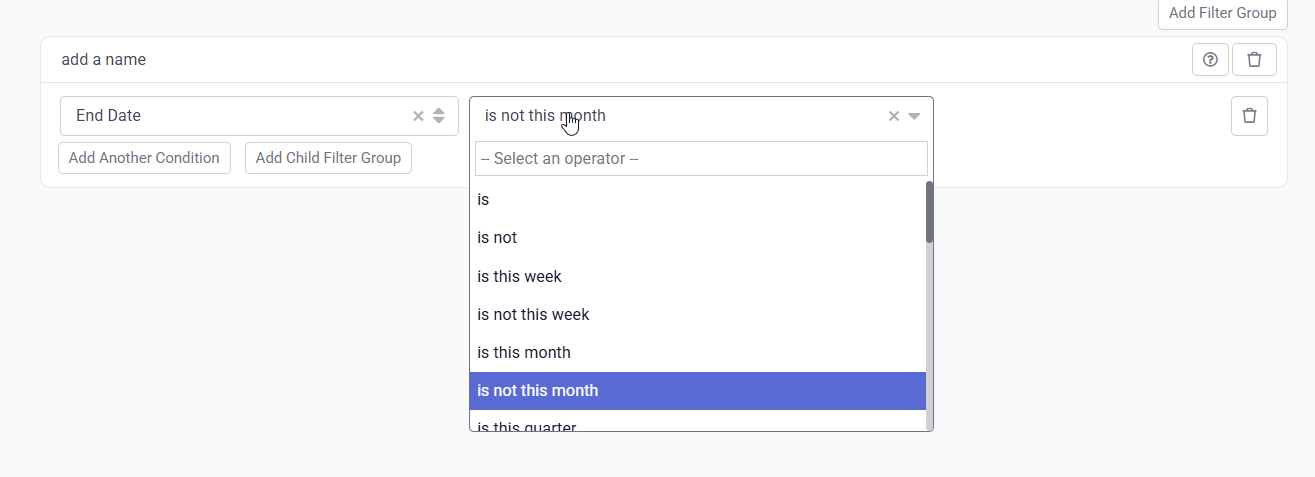
Working with date-based conditions just got easier. The new date filter options include quick selections for common relative date ranges:
- Last Week
- Is Not Last Week
- And other relative date filters
Visual Date Preview
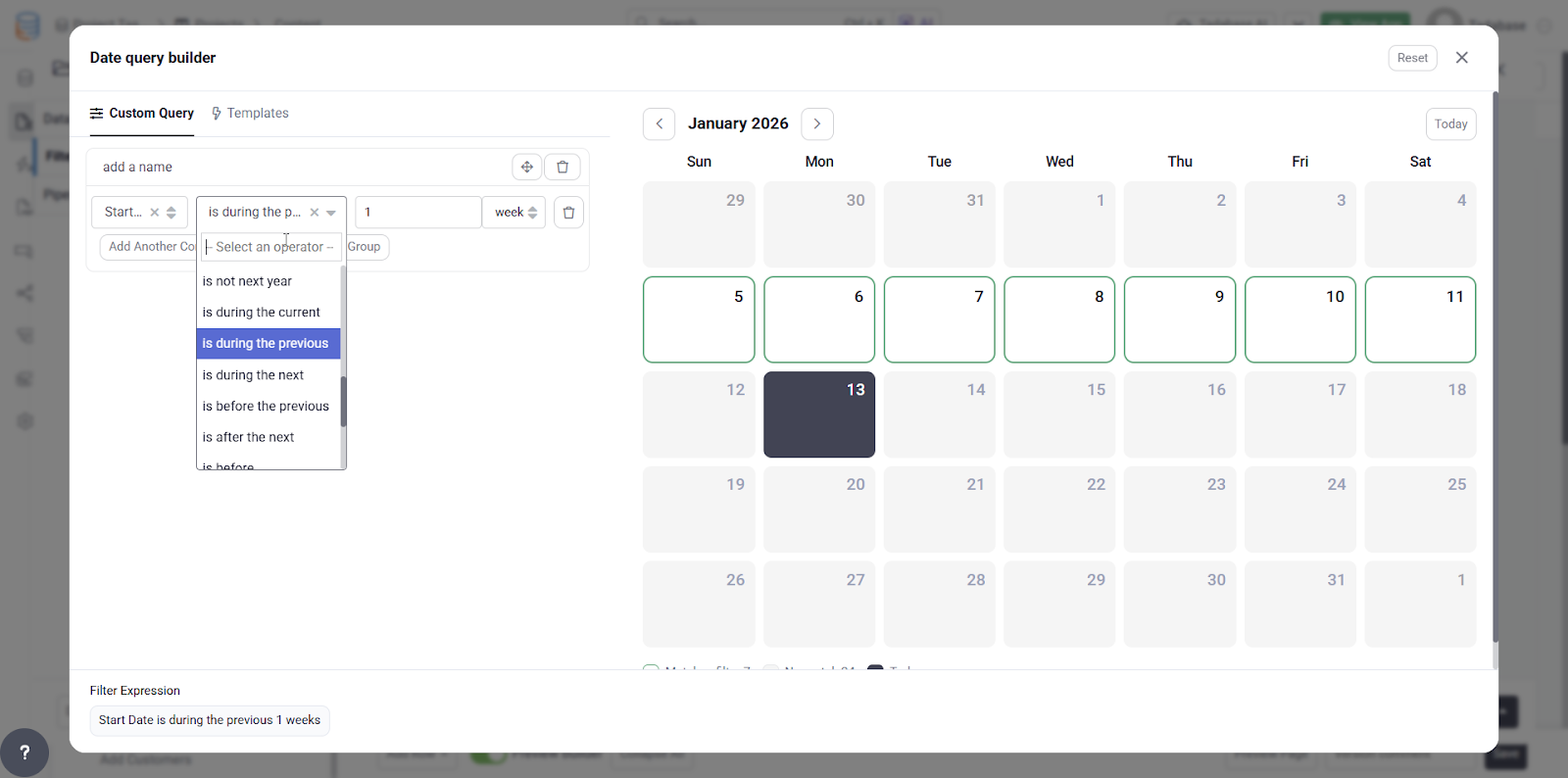
Setting up complex date conditions can be tricky. The new visual preview shows exactly which dates will match based on the filters you define, making it much easier to validate your logic before applying it.
Why It Matters
- Faster Setup: Common date ranges are now one-click selections
- Reduced Errors: See exactly what your filter will select before applying it
- Better Validation: Verify your date logic visually instead of testing with real data
- More Intuitive: Understanding relative date filters is now visual and immediate
Common Use Cases
These new date filters are perfect for:
- Creating dynamic reports that automatically update based on the current date
- Filtering records from specific time periods (last week, last month, etc.)
- Setting up automated workflows based on date conditions
- Building dashboards with time-based data filtering
We'd love to hear your feedback.